Agreya Coffee
From Fragmentation.
To One Cohesive Site.
Agreya's website hadn't kept up with the brand. Reservations, menu, and locations lived in a Linktree. Five branches, but the site was still built for one. This redesign brings it all together.
The Problem
A growing brand.
Two disconnected
websites.
Agreya had grown to five branches — but the website was still built like it only had one. Reservations were technically handled via WhatsApp, but every booking still pointed to a single number, regardless of which branch you were going to. Menu, reservation, and other key touchpoints lived in a Linktree instead of the site itself. And the menu was presented as a plain text list —
no prices, no photos, and no personality.
One Branch, Five Locations
The booking flow worked, but it wasn't branch-aware. Every customer was directed to the same WhatsApp number — regardless of which location they intended to visit. 📍
Scattered Entry Points
Menu, reservation, and location links lived in a Linktree, not within the website. Each step added friction 🔗 and another chance to lose the user.
No Visual Identity
The site read like a template: white backgrounds, plain text menus, and unfinished sections still filled with lorem ipsum. 😶
The Approach
One site.
Everything
in its place.
The goal wasn't just a visual refresh. It was to collapse five disconnected touchpoints into a single site — where a customer can browse the menu, pick a branch, and confirm a reservation without ever leaving.
Fix the Routing
The reservation flow now knows which branch you're booking. It routes the WhatsApp message accordingly.
Consolidate the Links
Menu, booking, rooms, and locations. All in one site. No Linktree, no dead-end redirects.
Match the Brand
The redesign uses Agreya's palette, photography, and voice to match the premium cafe experience.
The Design
Page by page.
Every pixel matters.
A Typographic Power-Move
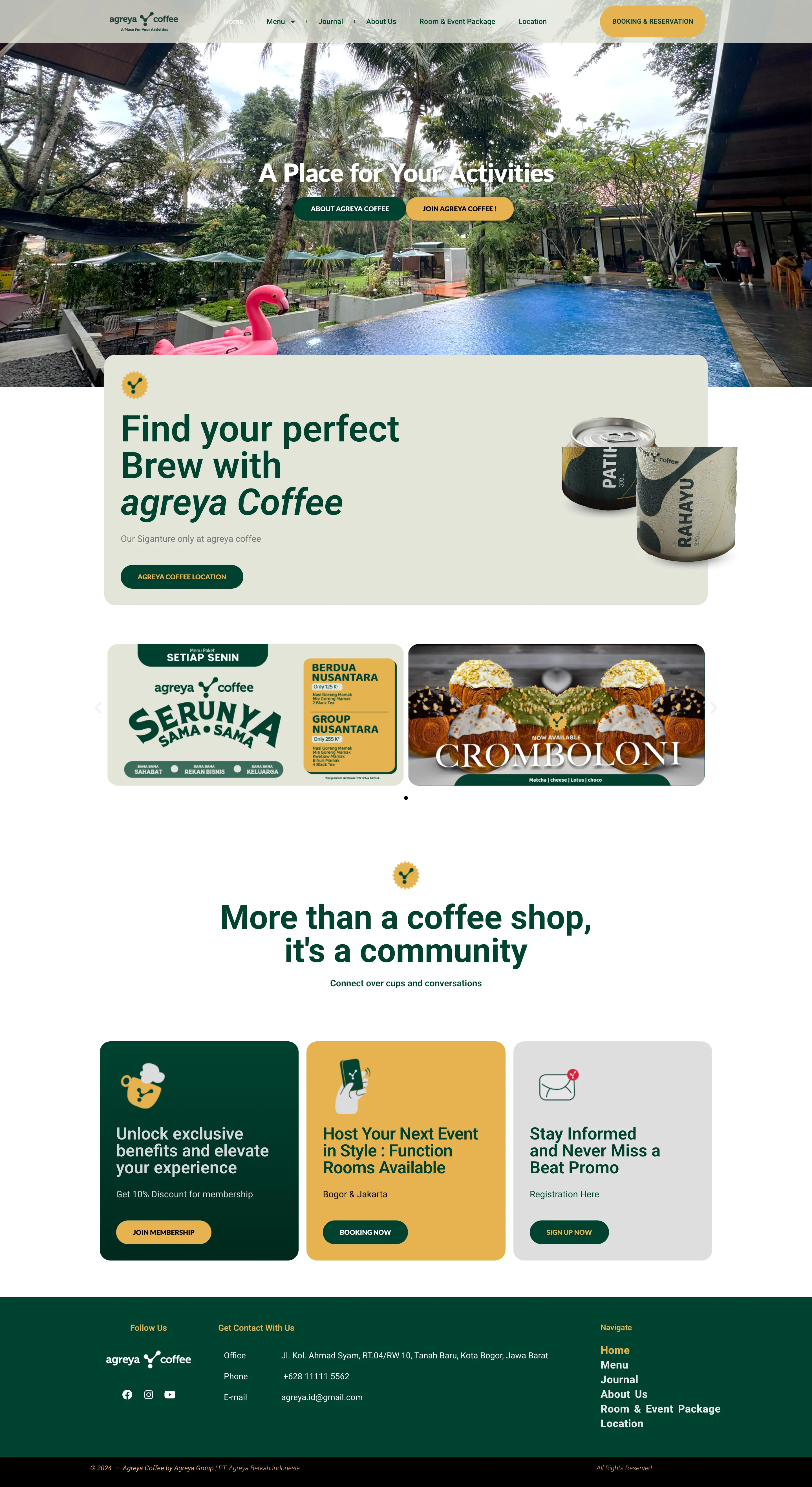
Before — Decision Fatigue
A generic pool photo with zero brand identity. Two redundant buttons — "About" and "Join" — that both just opened a blank WhatsApp chat. Promo cards for "Cromboloni" made it feel like a generic WordPress blog rather than a premium destination. 😶
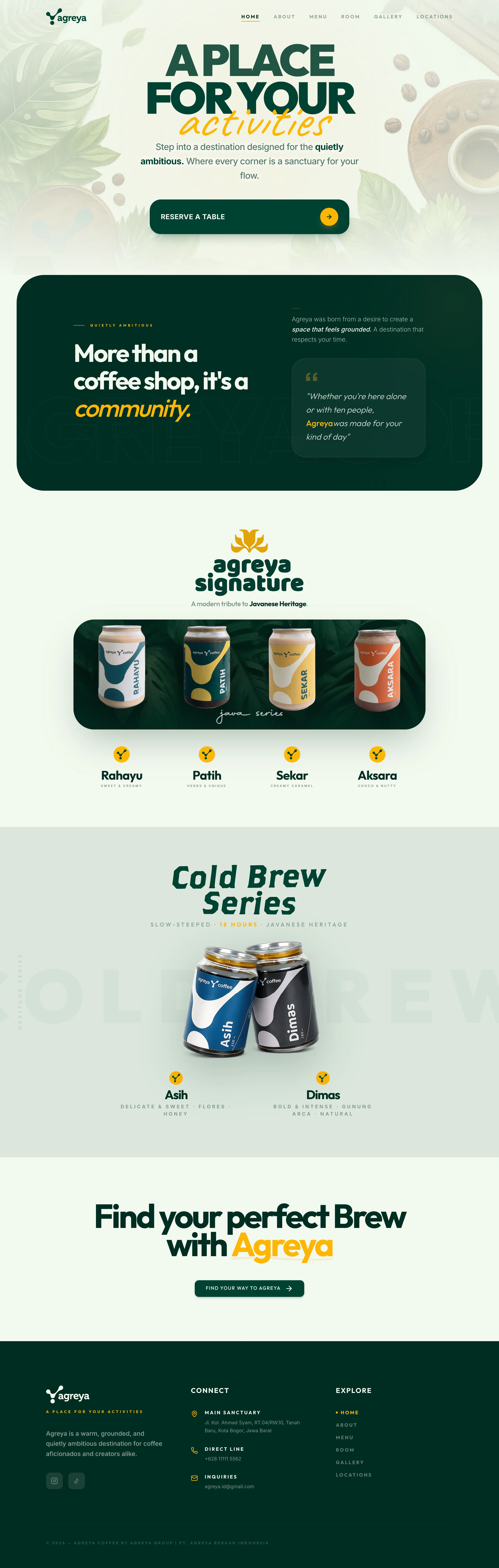
After — Editorial Narrative
It's not just a new hero; it's a complete shift to editorial storytelling. We replaced generic promo cards with premium Product Showcases for the Java and Cold Brew series. Confusing buttons were cut in favor of a single "Reserve a Table" CTA, while the "Community" section now leads with a quote-driven narrative that sells the vibe, not just the seats. 🎯
Grounded & Ambitious.
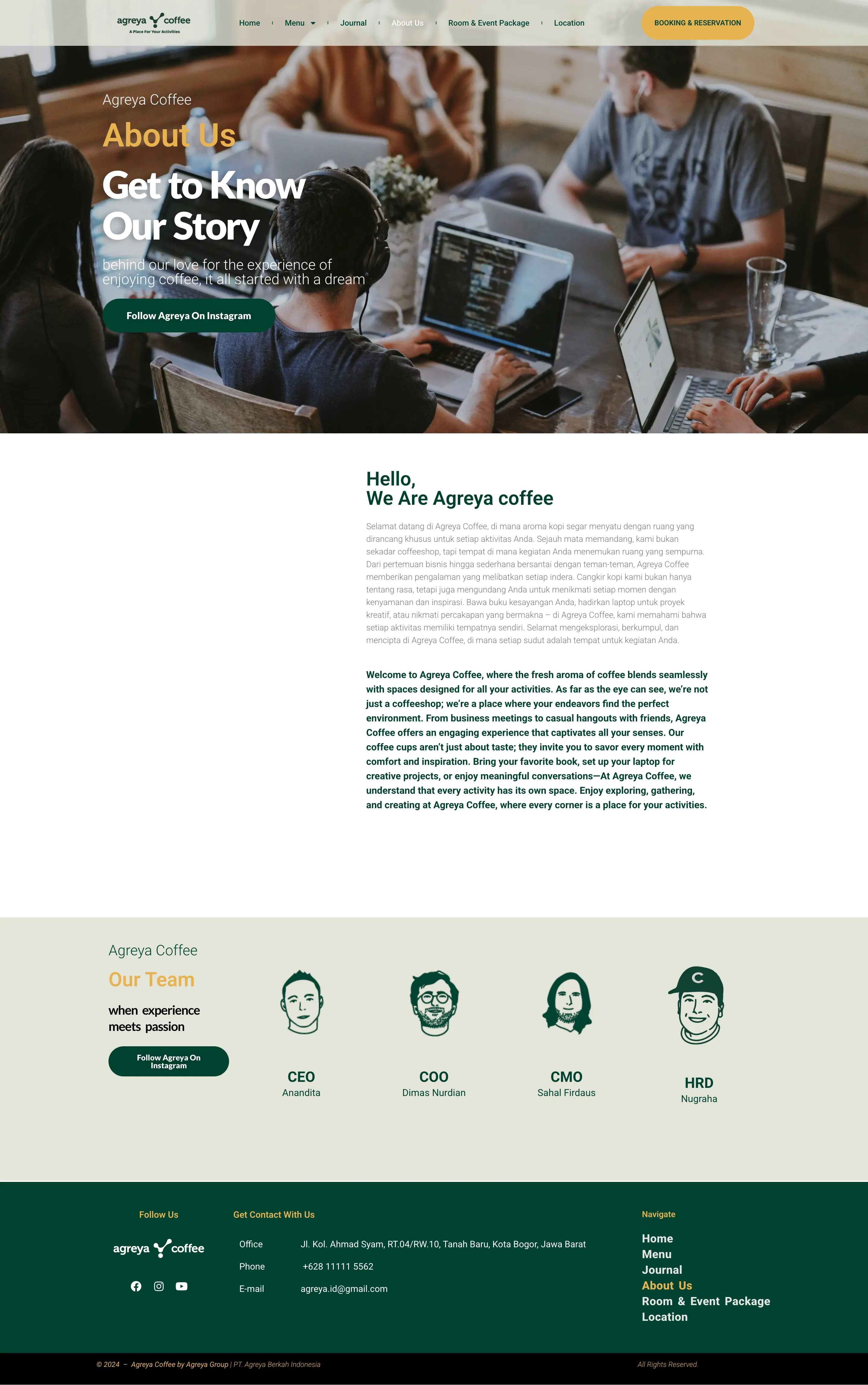
Before — The "Press Kit" Problem
The brand story was buried under massive bilingual walls of text. It felt like reading a legal disclaimer instead of a café's origin story. One big photo and a generic "Get to Know Our Story" headline just didn't sell the vibe. 📄
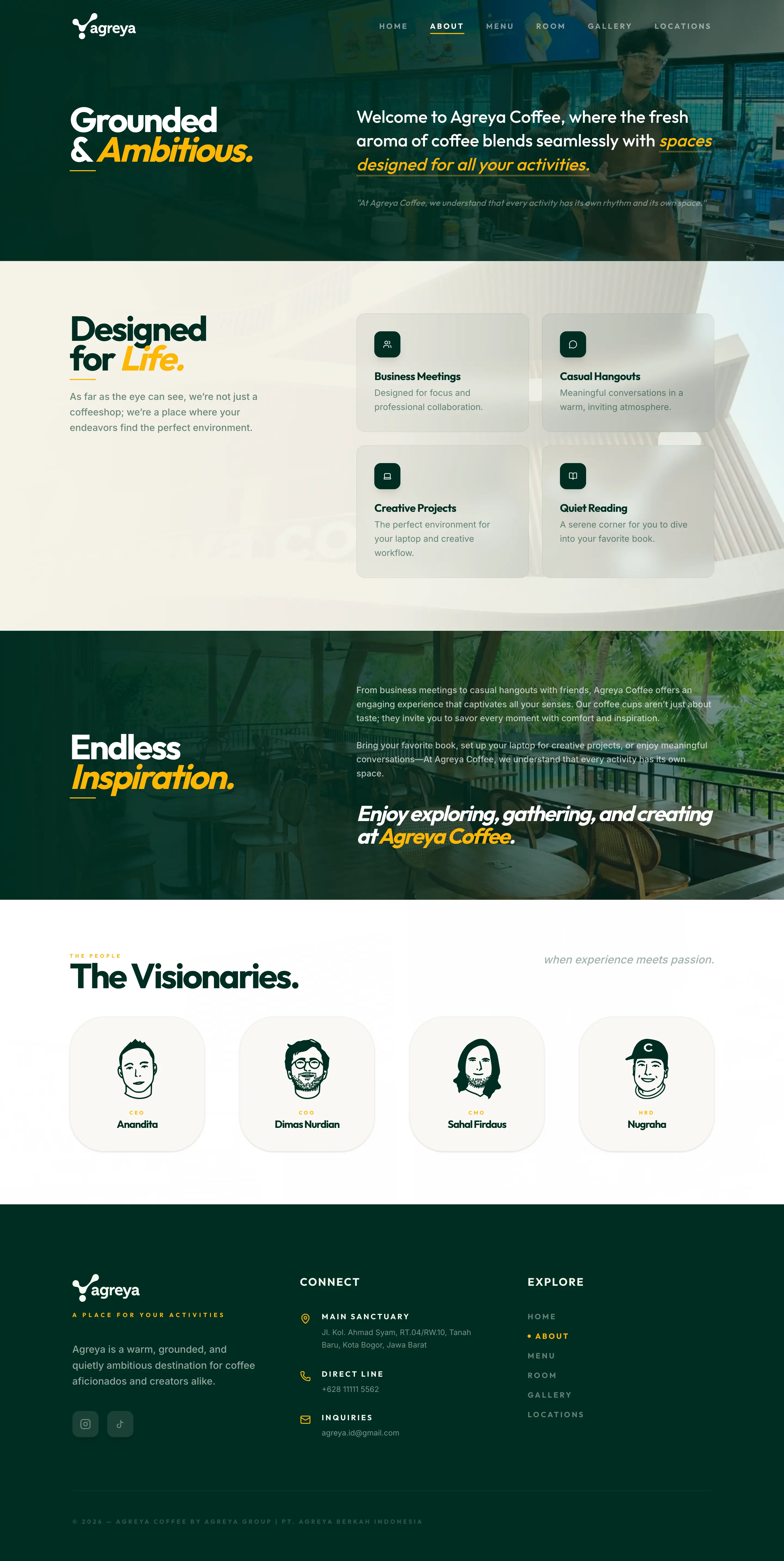
After — Visual Narrative
We broke the walls down. Bold editorial headlines and a clean 2×2 grid now show exactly what Agreya is for: from business huddles to creative flow. It’s a story people actually want to finish. ✨
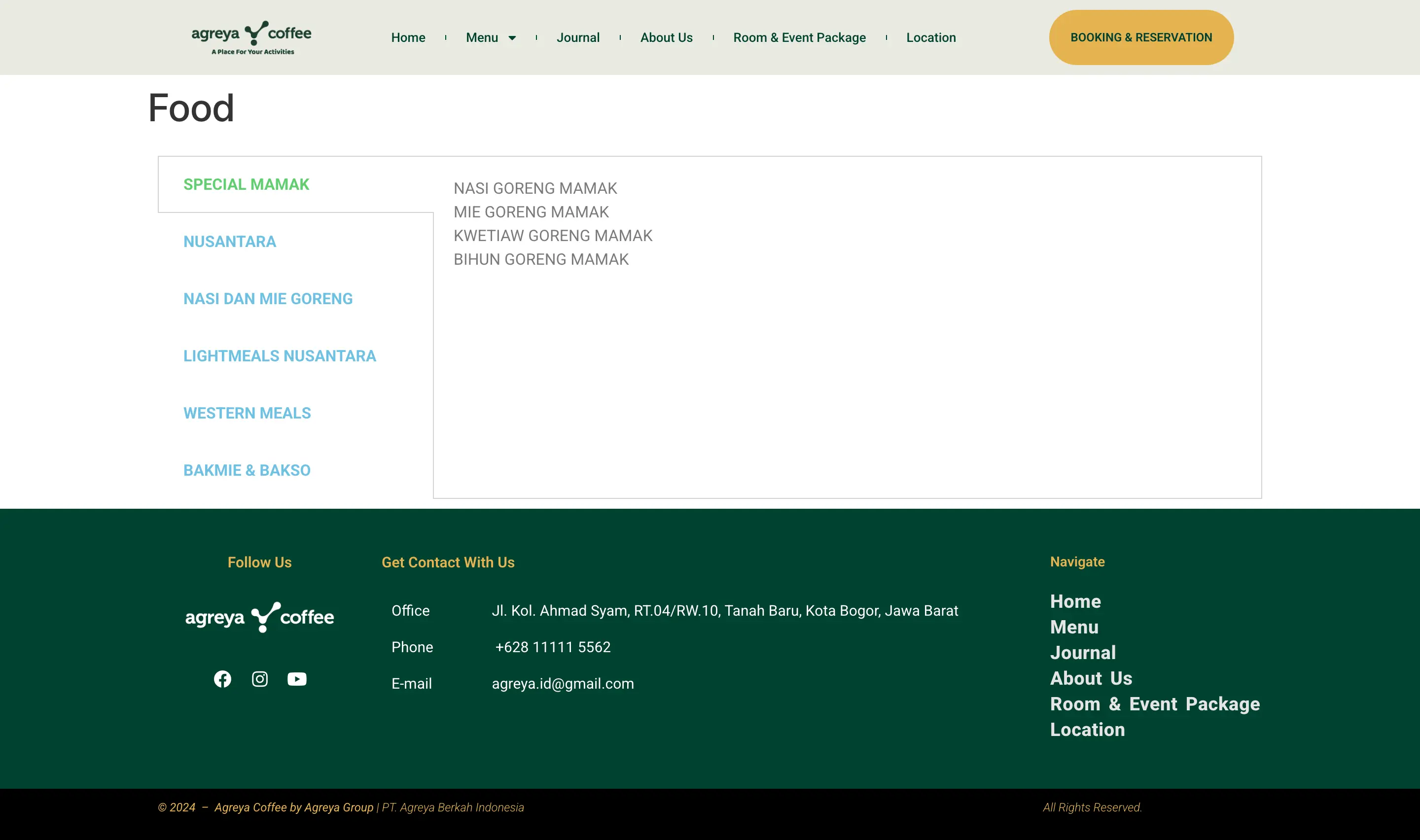
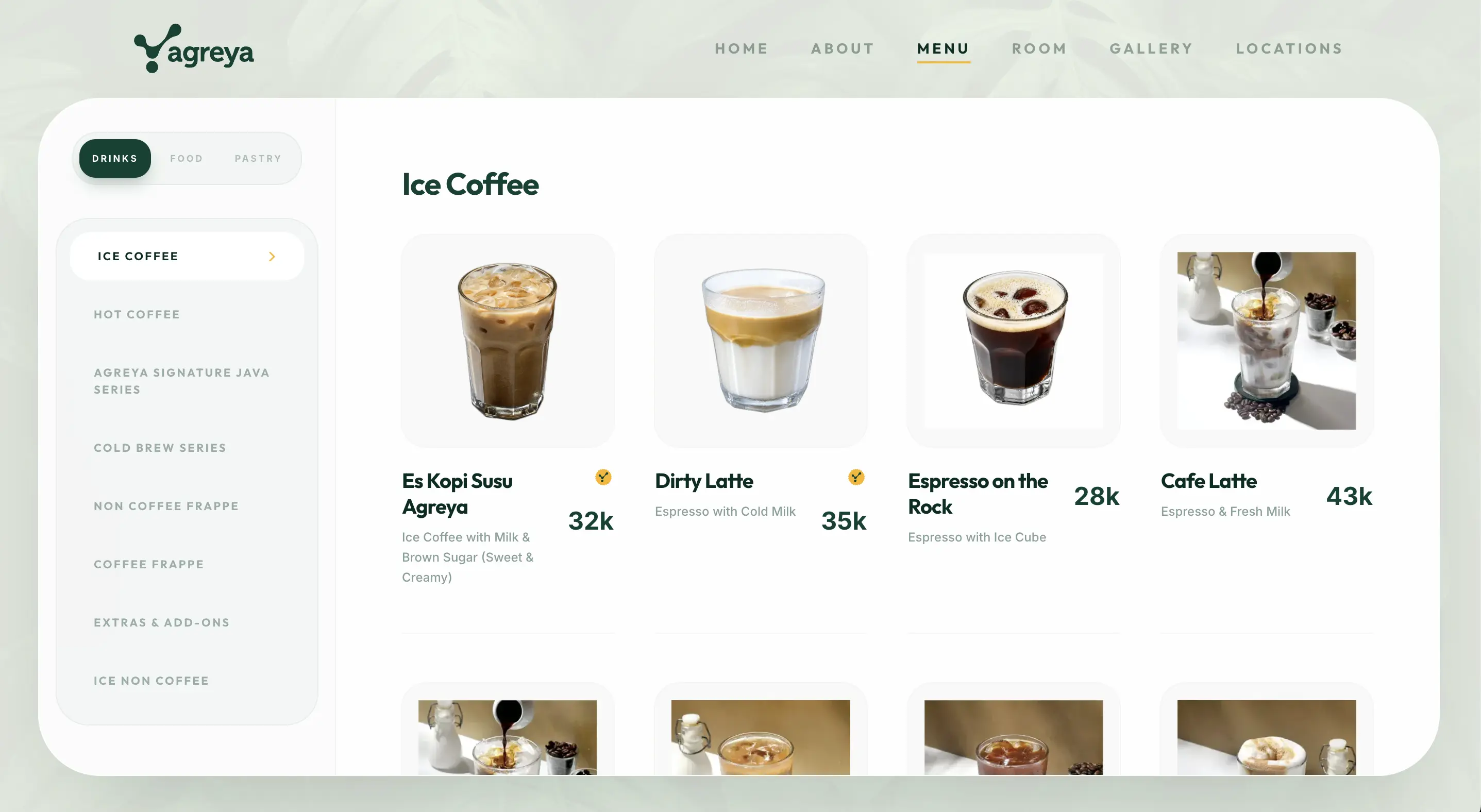
From Text List to Digital Gallery
Before — A Price List
Categories were simple blue text links. Items were plain text lists with no prices or photos. It looked like a backend admin panel rather than a menu. 📝
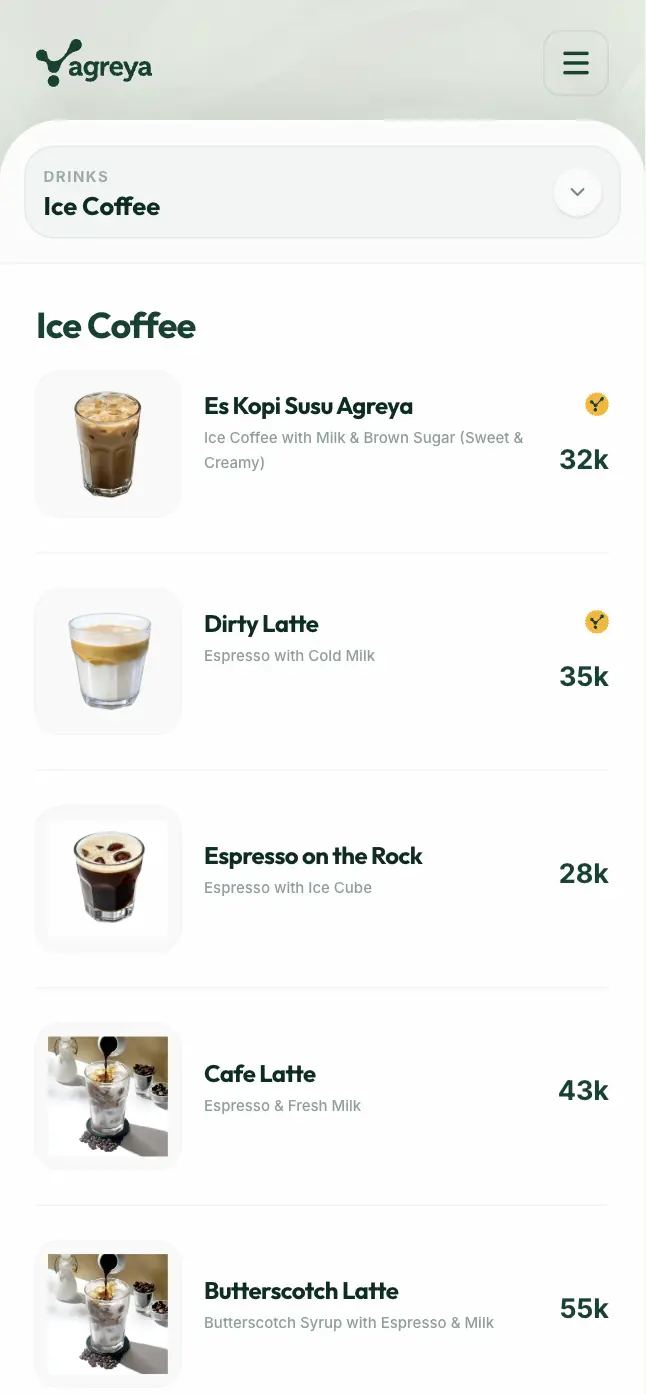
After — Editorial Gallery
The redesign transforms the menu into a visual-first gallery. We prioritized premium photography and a clear split-panel hierarchy to make browsing feel effortless and delicious. ☕️
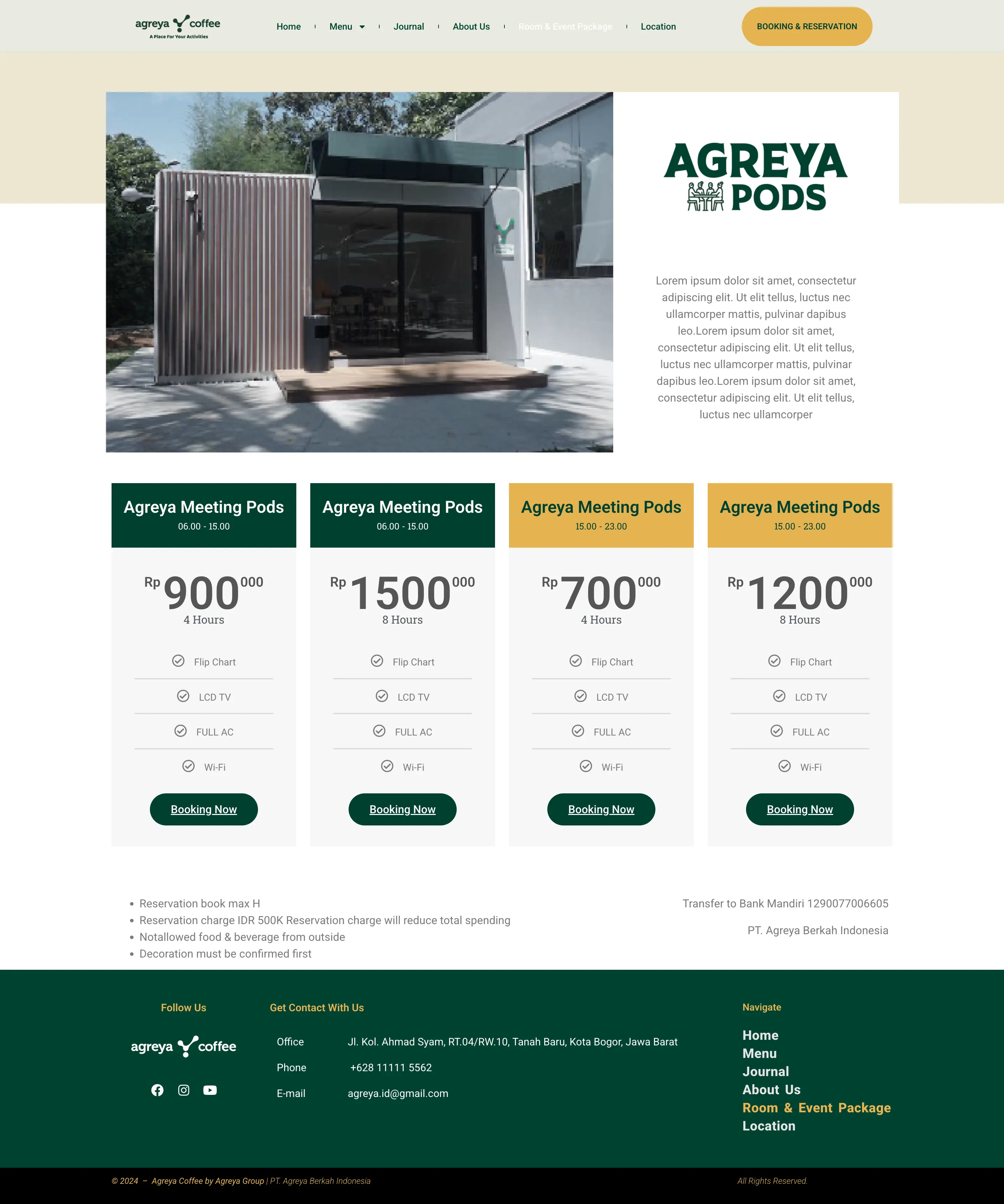
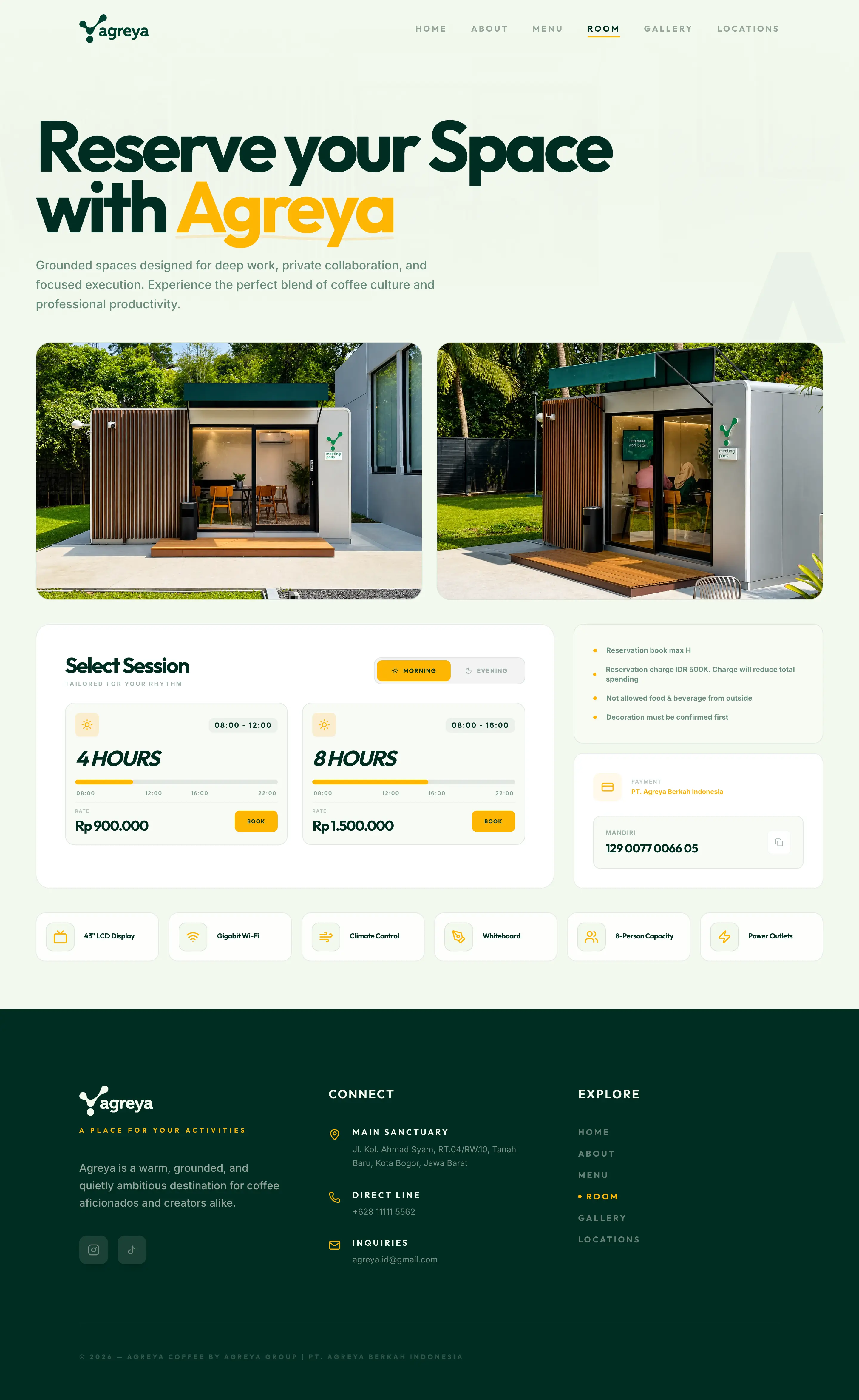
Meeting Rooms.
Before — Fragmented
The page was filled with lorem ipsum placeholders and a visually noisy pricing grid that created a barrier for professional users looking for quick bookings. 🔇
After — Professional Flow
A clean architectural layout with a functional session selector. The booking button now triggers our smart branch-aware routing system for instant confirmation. 📅
From Text List to Visual Archive.
Before — Non-existent
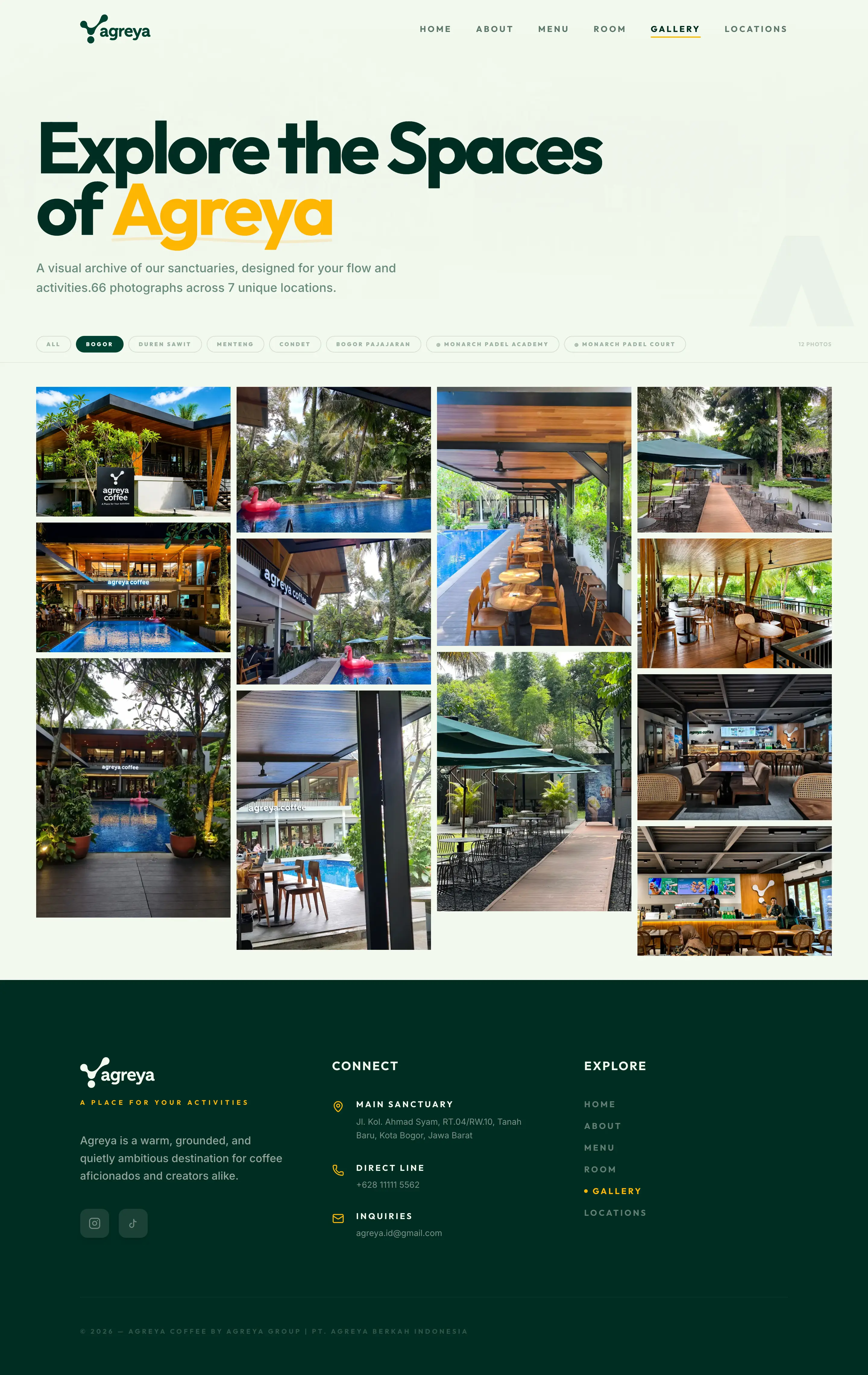
The original site had no dedicated gallery. Spaces this considered deserved more than a footnote — so we built one from scratch. 🖼️
After — Masonry Lookbook
The page opens with a location filter system that mirrors the branch tabs from the Locations page, keeping the mental model consistent across the site. Selecting a location narrows the grid instantly — no page reload, no friction.
The masonry grid itself adapts to the photographs rather than forcing them into uniform boxes. Landscape shots breathe wide. Portrait shots anchor the verticals. The result feels less like a filtered database and more like flipping through a well-edited lookbook. ✨
66 photographs. 7 unique locations. One cohesive visual language.
Identity-Driven Spaces
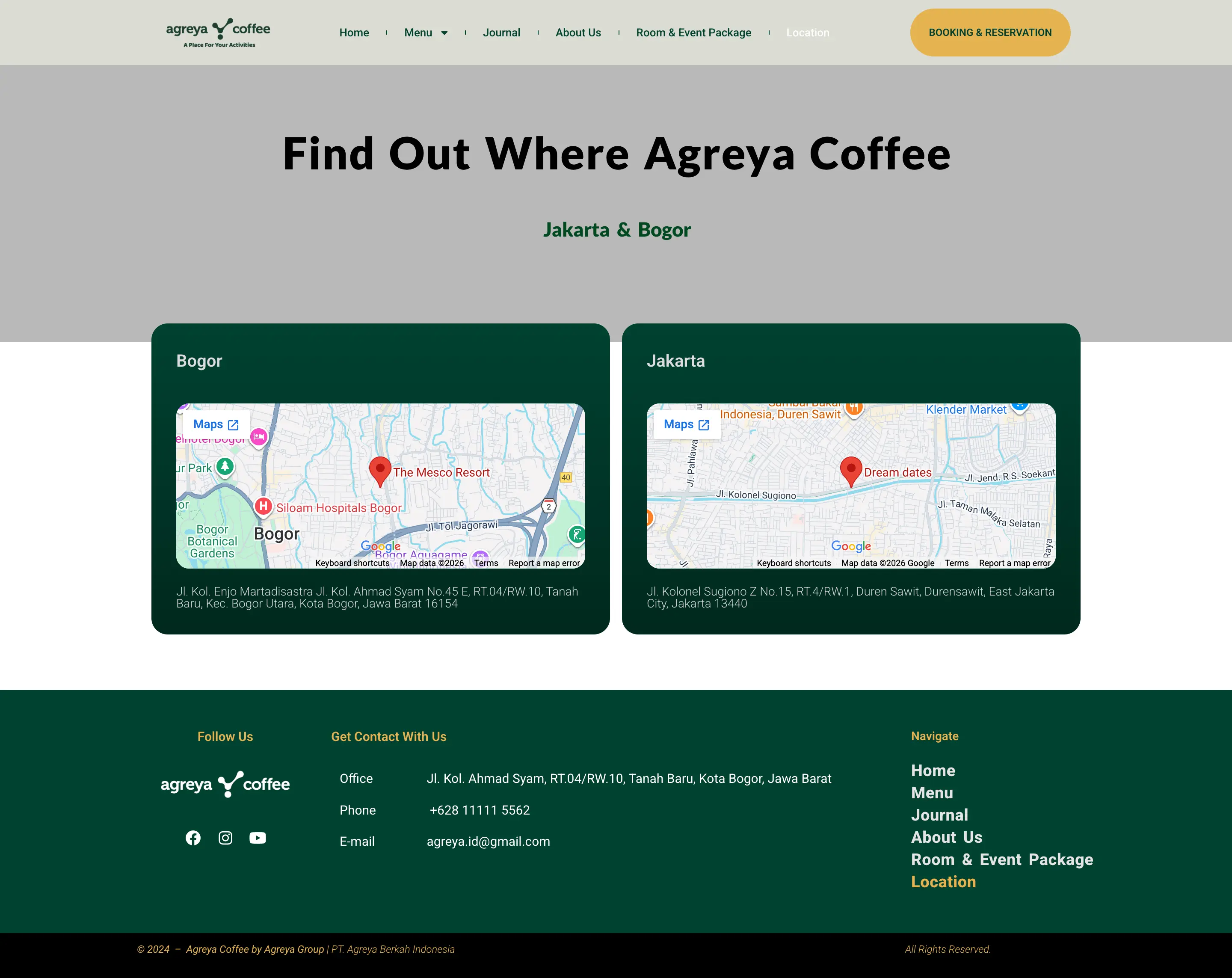
Before — Two Maps
The old site only showed two locations. No names, no photos, no hours. Just two embedded Google Maps and a generic footer that failed to represent the brand's growth. 📍
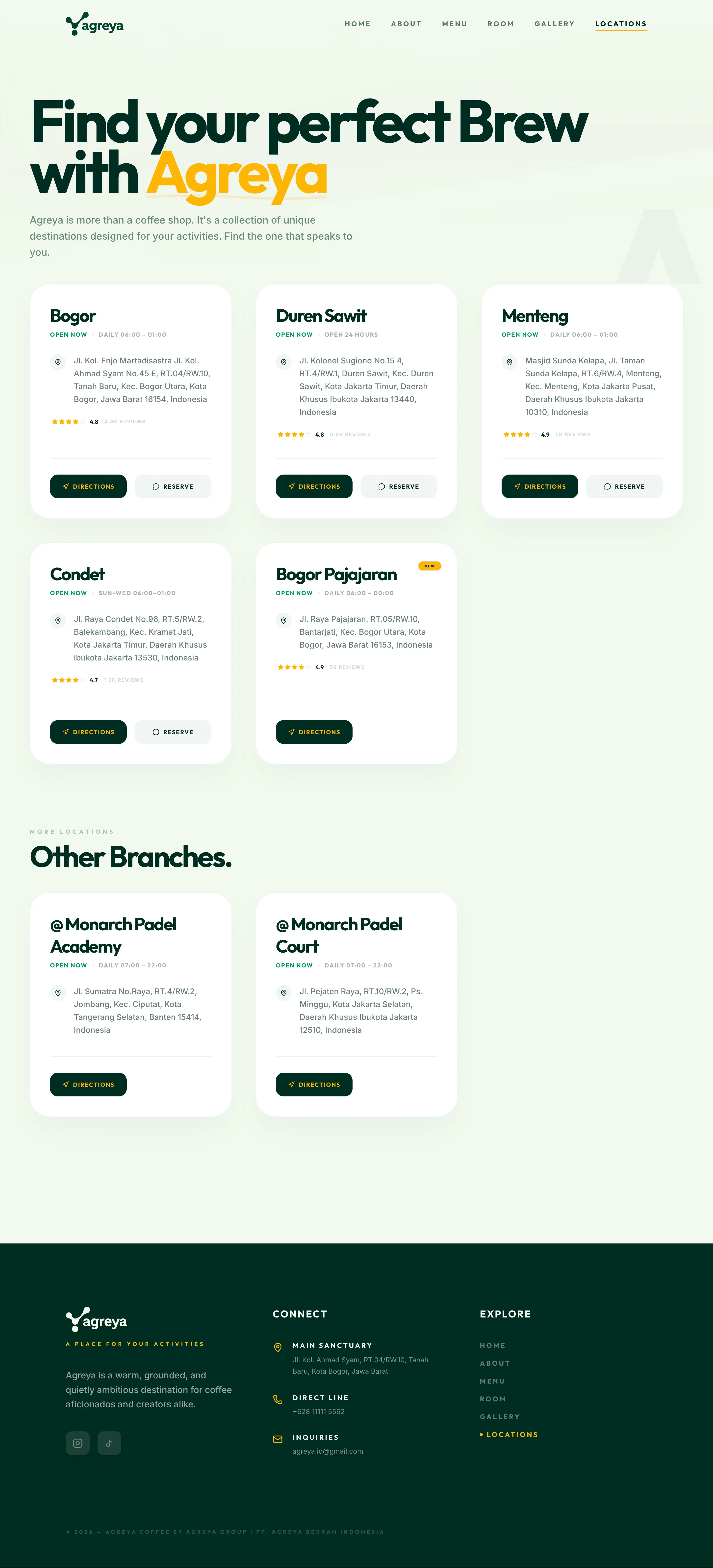
After — Five Branches
All five branches are now listed with a photo-driven narrative. Each location showcases its unique atmosphere through high-end photography and clear, actionable directions. 🏡
The Booking Fix
Reserve a table.
At the right branch.
The old site had one 'Reserve' button. It went to one WhatsApp. For one branch. The redesign fixes this: select your branch, enter your guest count, and a pre-filled WhatsApp message routes to the right contact.
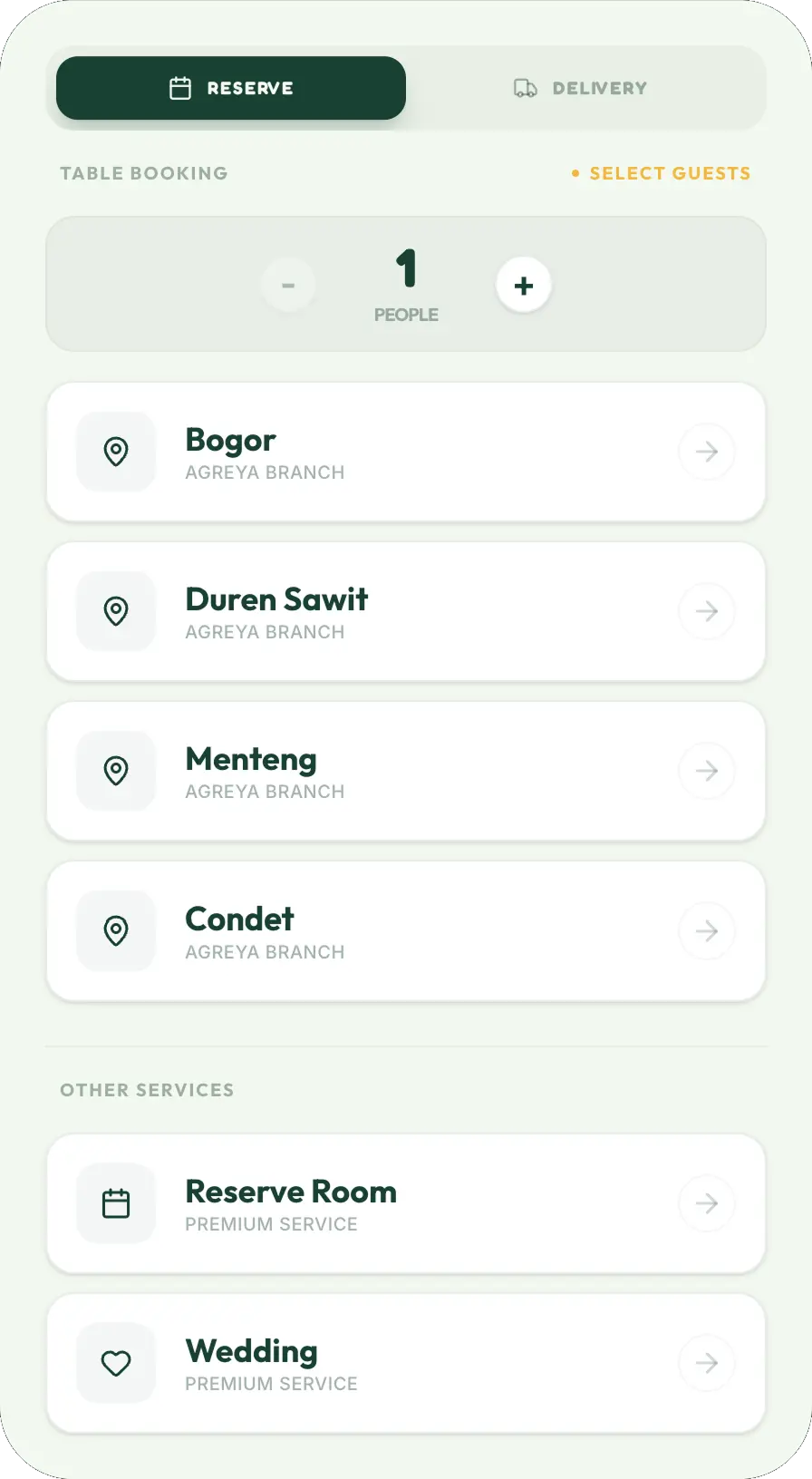
What gets sent
"Halo saya mau reservasi meja di Agreya Menteng untuk 2 orang."
Room Booking
Reserve your room.
Right branch, right session.
We traded the noisy pricing grid for an interactive session selector and fixed the 'Bogor-only' routing bottleneck. Every booking now routes to the correct branch with a pre-filled template, eliminating all manual friction. 🚀
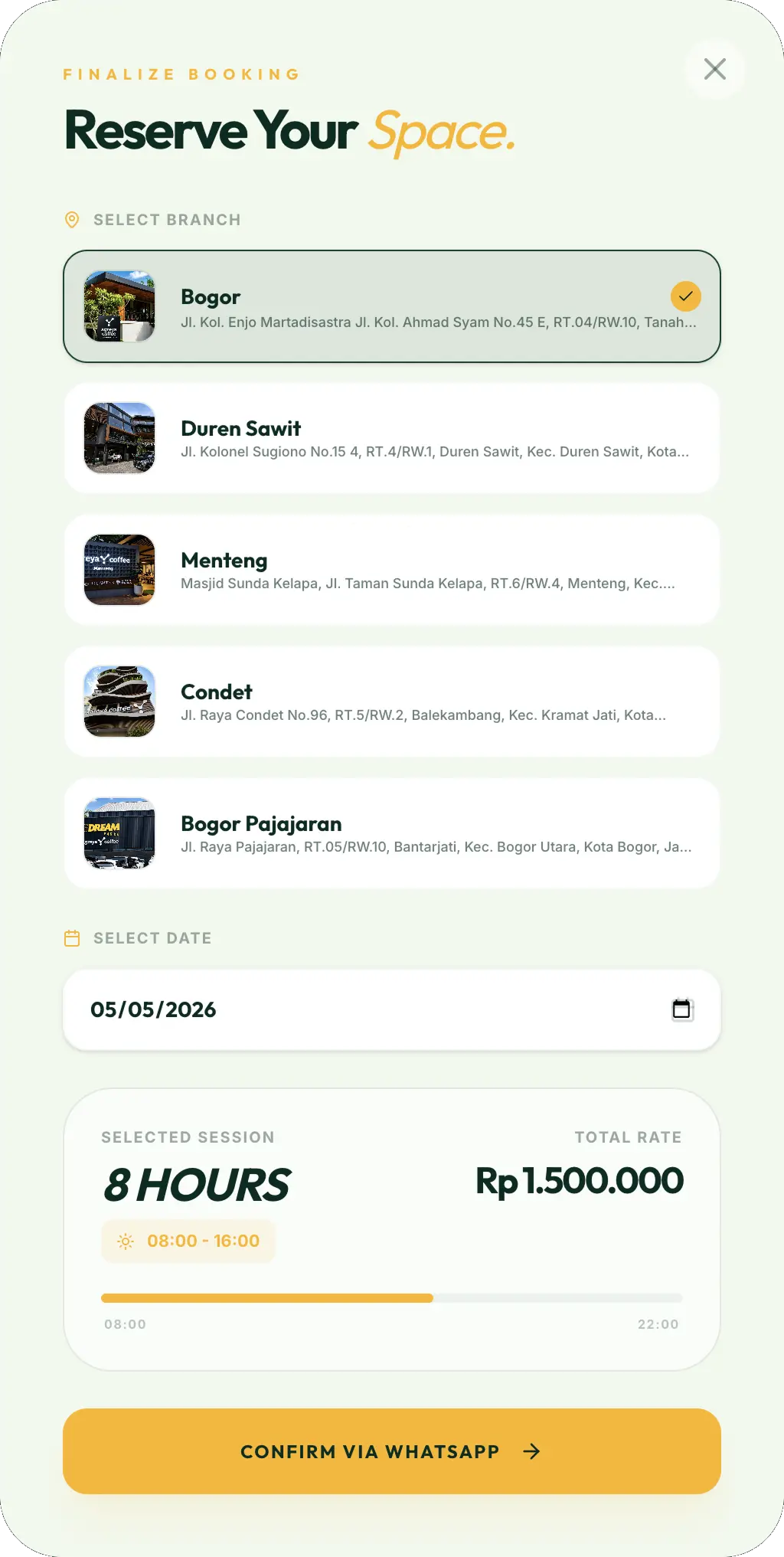
Selected Session
Day Session
8 Hours · 08:00–16:00
Rate
Rp 1.500.000
Branch
Bogor
What gets sent
"Halo Agreya, saya ingin reservasi Meeting Room di Agreya Bogor untuk Day Session..."
Adaptive Design
Pixel-perfect.
Across all devices.
Good design is responsive, but great design is adaptive. We meticulously refined every breakpoint to ensure Agreya's editorial layout and interactive elements feel native to every screen size—from desktop monitors to smartphones.
Devices used for mockups





The Outcome
From five entry points
to one site.
One Unified Site
Menu, booking, rooms, and locations — all in one place. No Linktree, no outdated pages.
Branch-Aware Booking
The reservation modal routes each inquiry to the correct branch's WhatsApp automatically.
A Site That Matches the Brand
Agreya is a premium café. The website now finally looks and feels like one.
Five Branches, All Visible
Every branch has its own entry on the locations page with photos, hours, and maps.
This is a concept redesign.
Let's work together.
Built as a speculative project — not requested or commissioned by Agreya. If you're running a multi-branch business with a website that hasn't kept up, this is the kind of work I do.